

Create Access Tokens
An access token is what lets an AI client use your Eloqua MCP server. Every request must include one. There is no anonymous access.
A token belongs to your Organization, not to one Eloqua connection. A client with a valid token can reach every Eloqua connection in your Organization, with the Write tools setting each connection has.
Create a Token
-
In the Eloqua MCP app, click Access Tokens under Settings.
-
Under New access token, enter a Name that says who and where it's for, such as
Pat - Claude Desktop. -
Choose when it Expires: 30 days, 90 days, 1 year or No expiry. The default is 90 days.
-
Click Create Token.
-
Copy the token and store it somewhere safe, such as a password manager. Then click I saved it, hide.
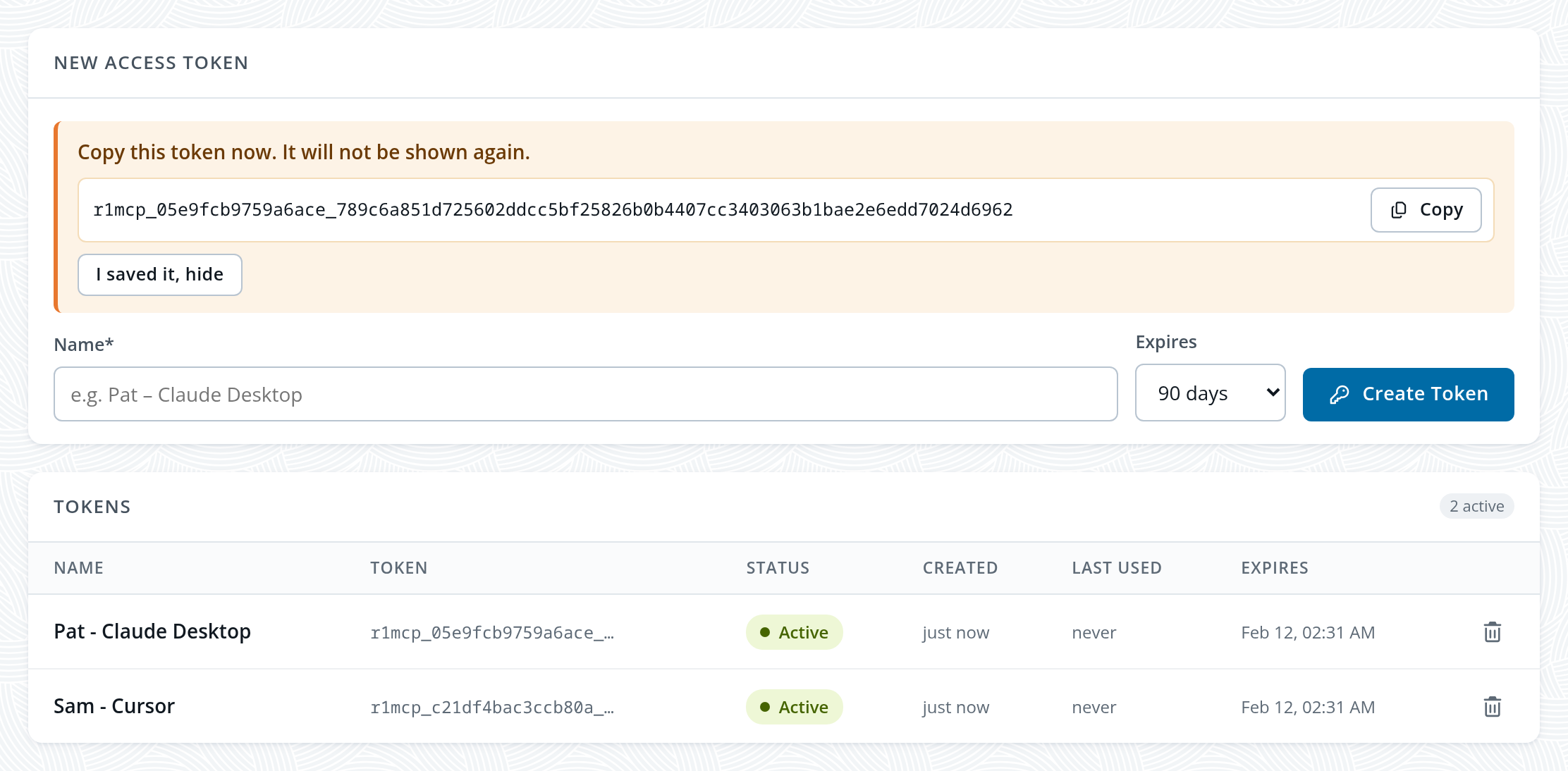
Copy the token right awayThe full token is shown once. AppCloud stores only a hash of it, so nobody can look it up later, including Relationship One. If you lose a token, revoke it and create a new one.
Review Your Tokens
The Tokens list shows every token your Organization has created:
| Column | What it shows |
|---|---|
| Name | The name you gave it |
| Token | The first characters only, so you can match a token to its row |
| Status | Active, Expired or Revoked |
| Created | When it was created |
| Last used | The last time a client used it. This can lag by a few minutes. |
| Expires | The expiry date, or Never |
Last used is the quickest way to see whether a client is connecting. If you just set up a client and the token still shows no use after a few minutes, the client isn't reaching the server with that token.
Revoke a Token
-
Find the token in the Tokens list and click the trash icon.
-
Click Revoke to confirm.
The client using that token is refused from then on. A revoked token stays in the list with the status Revoked and can't be turned back on. Create a new token if the client still needs access.
Good Practice
- One token per person and per client. If Pat uses Claude on the web and Claude Code, create two tokens. You can then revoke one without interrupting anything else.
- Set an expiry. Use No expiry only for clients you review regularly.
- Treat a token like a password. Don't paste it into a chat, an email or a shared document.
- Revoke when someone leaves or a laptop is lost.
Updated about 4 hours ago